
August brings improvements across transaction management, file imports, tax reporting, and the Tax Professionals platform. From more control over internal transfers and a more flexible file import experience to multilingual tax reports and new license management capabilities, this month's updates make it easier to manage your crypto tax workflows.
More Control Over Internal Transfers
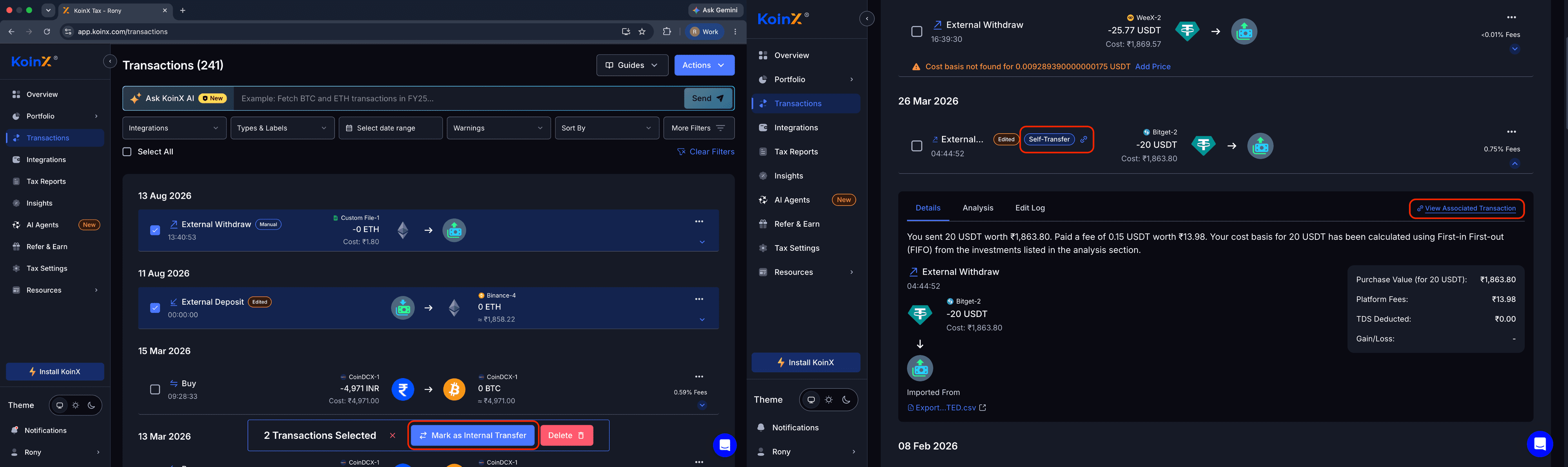
You can now manually mark Deposit and Withdrawal transactions as Internal Transfers when KoinX is unable to automatically identify the transfer, such as when the corresponding transactions have a larger time gap.
Internal Transfers are also surfaced more clearly across the platform, with direct access to the associated Linked Transaction, making it easier to review and manage transfers between your own wallets and accounts.
A More Flexible File Import Experience
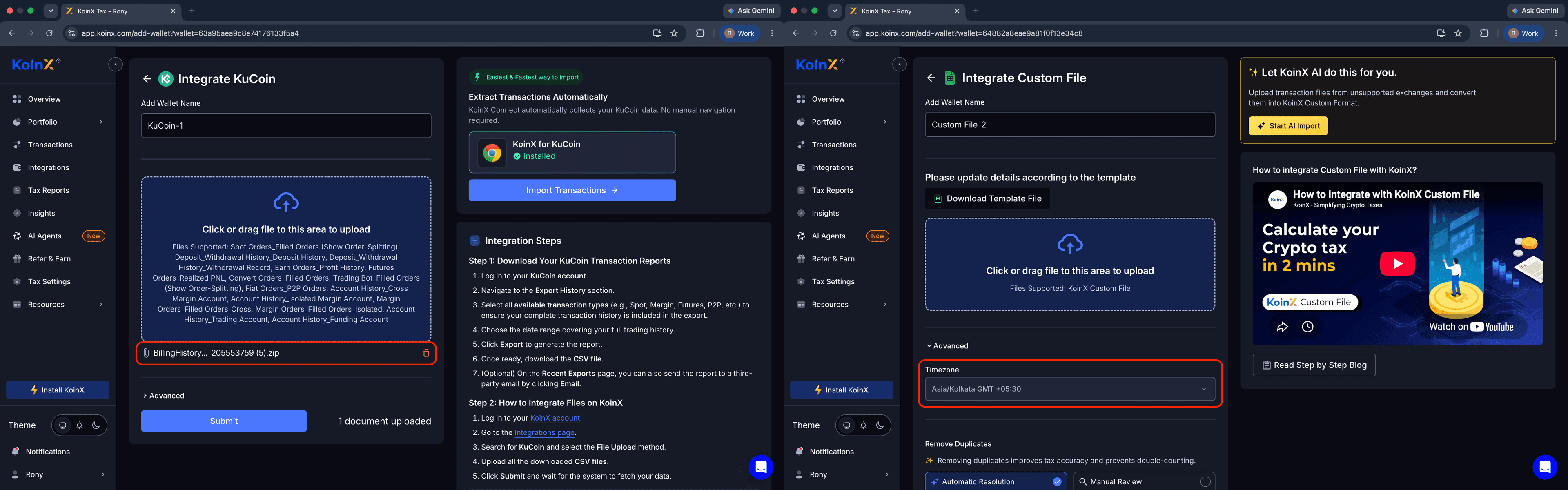
We have made file imports more flexible, giving you greater control over how your transaction files are uploaded and processed.
- ZIP File Uploads — Upload ZIP files directly through the File Upload flow
- File Timezone — Select the timezone associated with an uploaded file from the Advanced settings
- Import Time Range — Previously Imported Files now show the transaction date range covered by each file, wherever available
- File Deduplication — Files with identical filenames can now be uploaded independently without being overwritten or ignored
Belgium Tax Reports in Multiple Languages
Belgium Tax Reports are now available in French, Dutch, and German, making it easier to review and understand your reports in your preferred language.
View the sample reports:
- French Tax Report (opens in a new tab)
- Dutch Tax Report (opens in a new tab)
- German Tax Report (opens in a new tab)
Introducing License Management for Tax Professionals
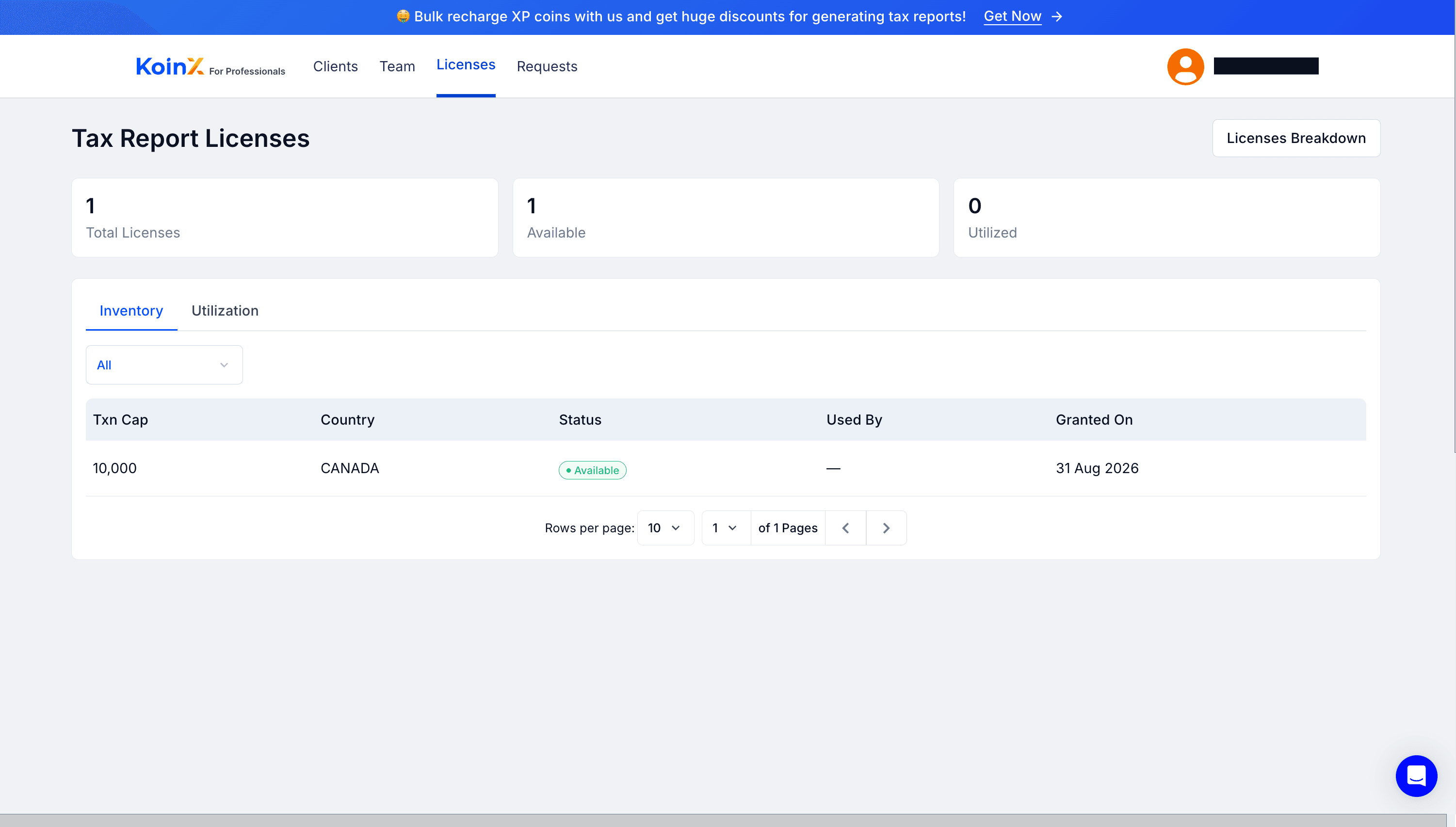
We have introduced License Management for Tax Professionals, making it easier to manage tax report license coverage across your clients.
Licenses with transaction limits can be assigned to individual clients for each financial year. Clear coverage statuses — Licensed, Upgrade Required, Not Covered, or Own Plan — help you quickly understand the status of each client. CAs can also upgrade clients to higher-tier licenses when required.
Coverage status is available directly in the Tax Filing Clients table, making it easier to track and manage license coverage across your client base.
Interested in using License Management for your practice? Contact us (opens in a new tab) to get access.
Other Improvements
- Added support for international phone numbers across the most commonly used regions supported by KoinX
- Migrated Mining Guides to support both Light and Dark themes for a more consistent experience across the platform
- Added a new file integration for BTC Markets
- Fixed issues with transaction merging and Portfolio date-filter calculations